
TC · a free app for collectors
Scan a card.
Know what
you own.
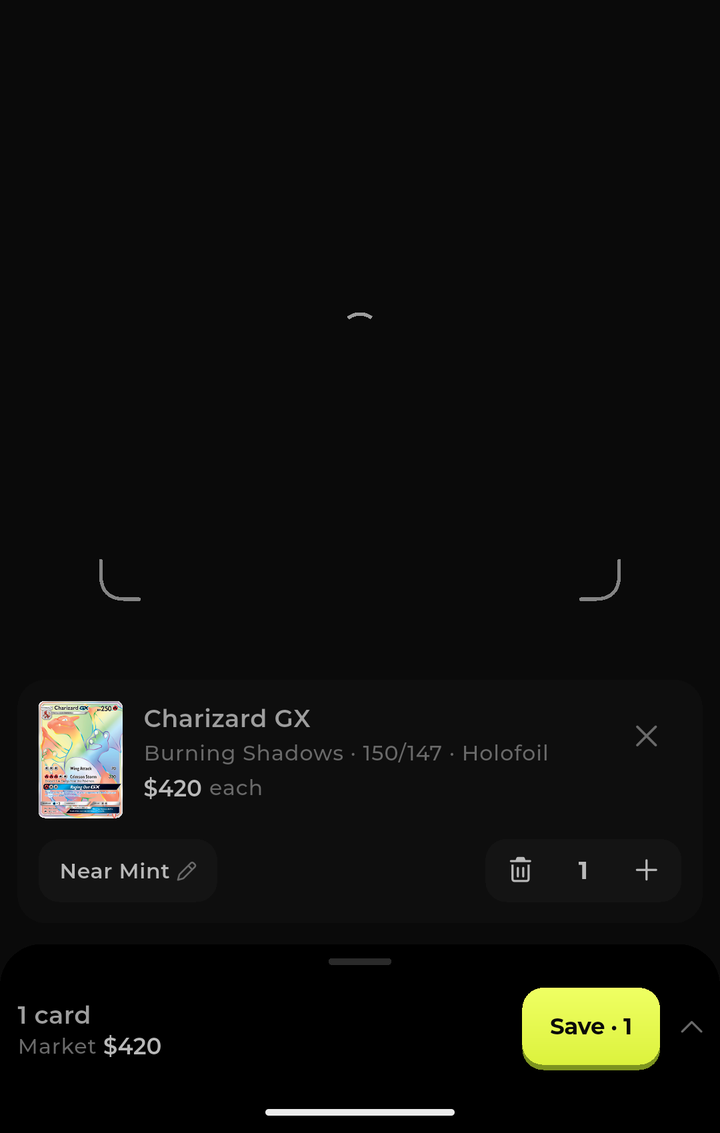
TC turns the camera in your pocket into a card scanner. Point it at a card, and the app reads the name, set and number, matches the exact print, and files it into your collection with today's market value attached. From then on it follows that card for you — one running total for everything you own, and the history behind it. Your binder, counted and tracked, without a spreadsheet.
How it works
Three seconds
a card.
01 — Point
Hold the card in frame
02 — Identify
The app reads the print
03 — Follow
Save it, then watch it
What the app does
Everything you
collect, in one
place.
The scanner
Recognition happens on the phone. The camera frame is read locally, and nothing about a card is stored anywhere until you tap save — dismissed scans are simply gone.
- Reads name, set code and collector number straight off the card
- Recognises ten trading card games, and tells them apart automatically
- Reads graded slab labels, including the certification number
- Batch mode: scan a stack, review it once, save it in one go
- Or identify a card from a photo already in your library
Pokémon · Magic: The Gathering · Yu-Gi-Oh! · One Piece · Lorcana · Flesh and Blood · Dragon Ball · Digimon · Weiss Schwarz · Riftbound
Follow your
portfolio
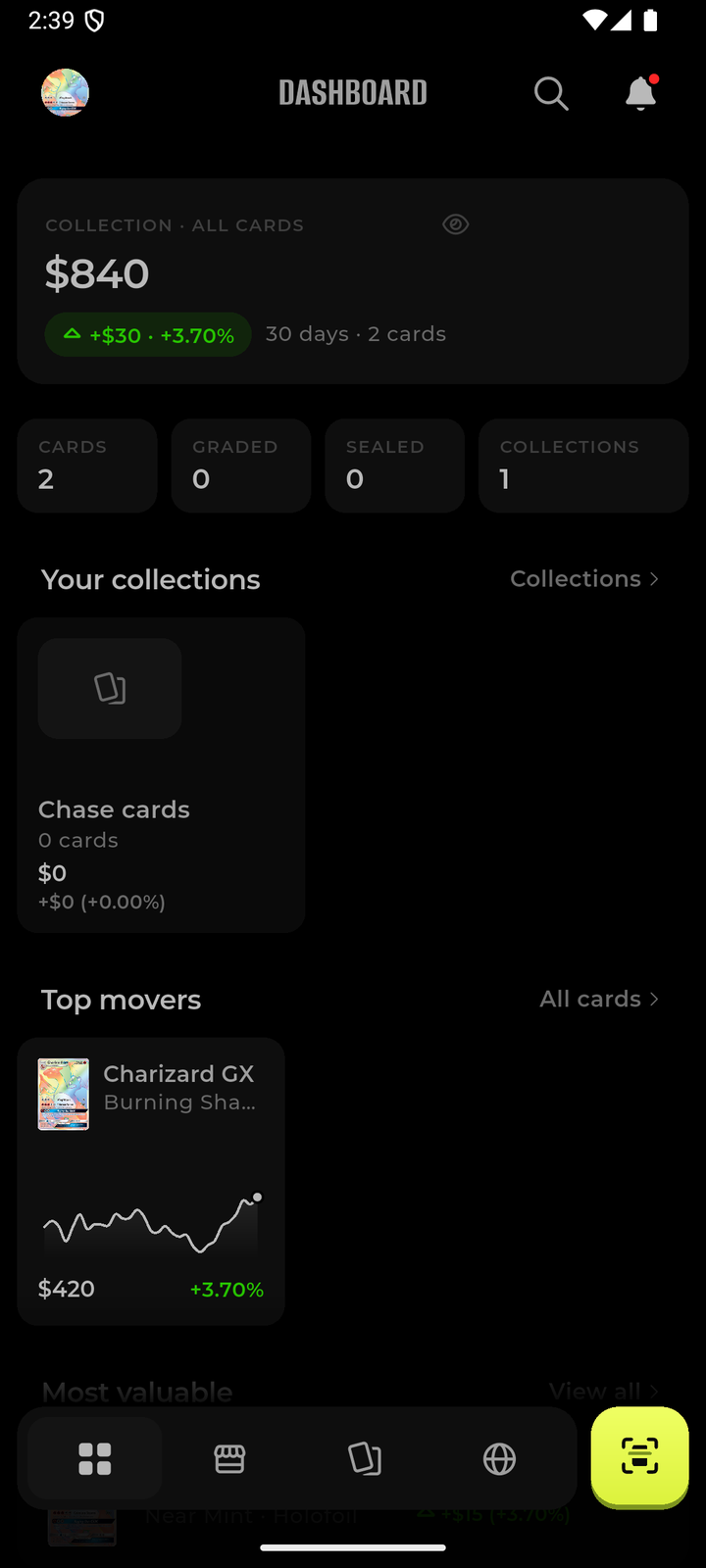
One number for the whole collection, and the honest history behind it. The dashboard opens on what everything is worth today, what it did over the last 30 days, and which cards moved it. Nothing to update by hand — values refresh on their own.
- Total value across every card you own, refreshed daily
- The 30-day change in money and in per cent, up or down
- Top movers, so you see what actually shifted and why the total changed
- Your most valuable cards, ranked
- Counts for raw, graded and sealed items
- A private switch hides the number when you would rather not see it
Every card,
priced
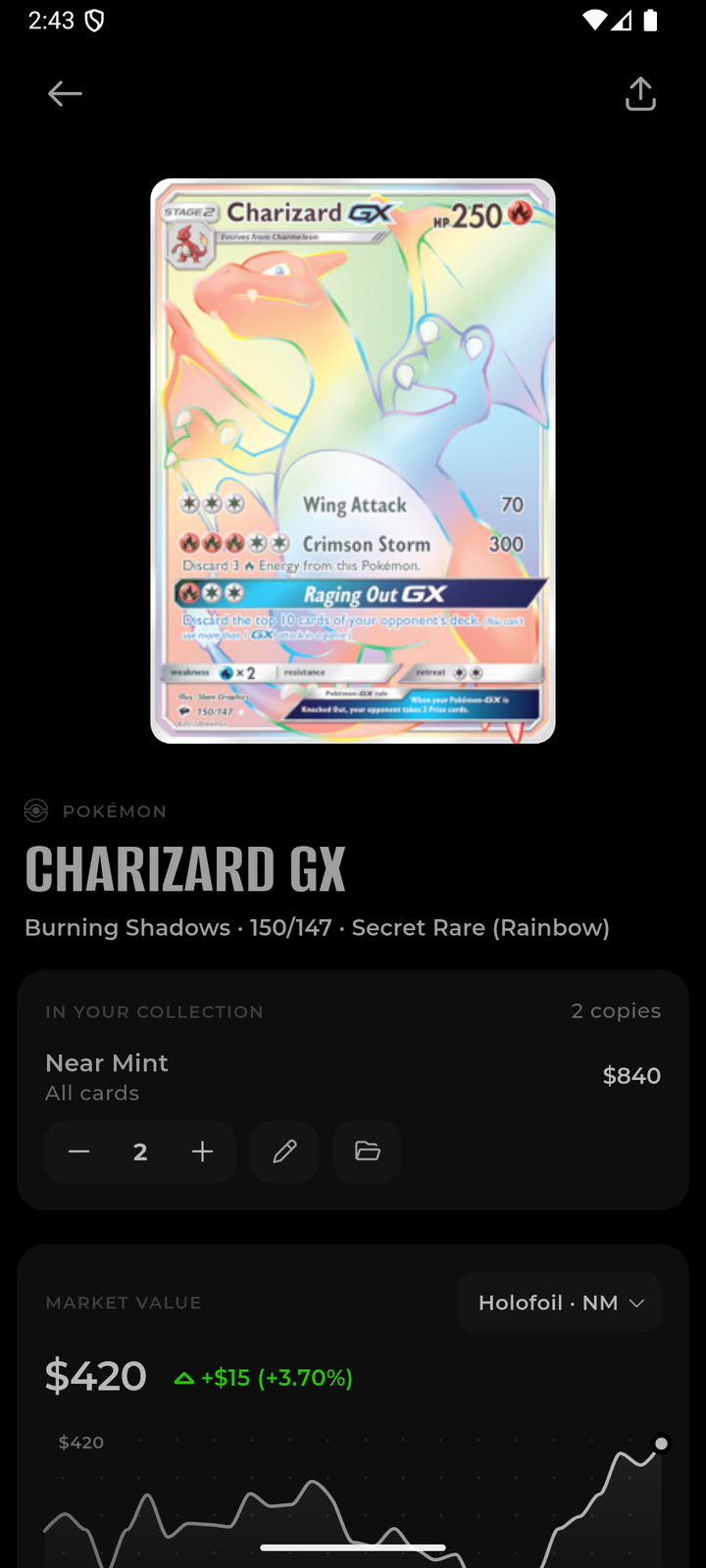
Tap any card for the full picture: what the print is, what your copies are worth, and what other copies actually sold for. Values are estimates drawn from public market data — they are a reference, not an appraisal.
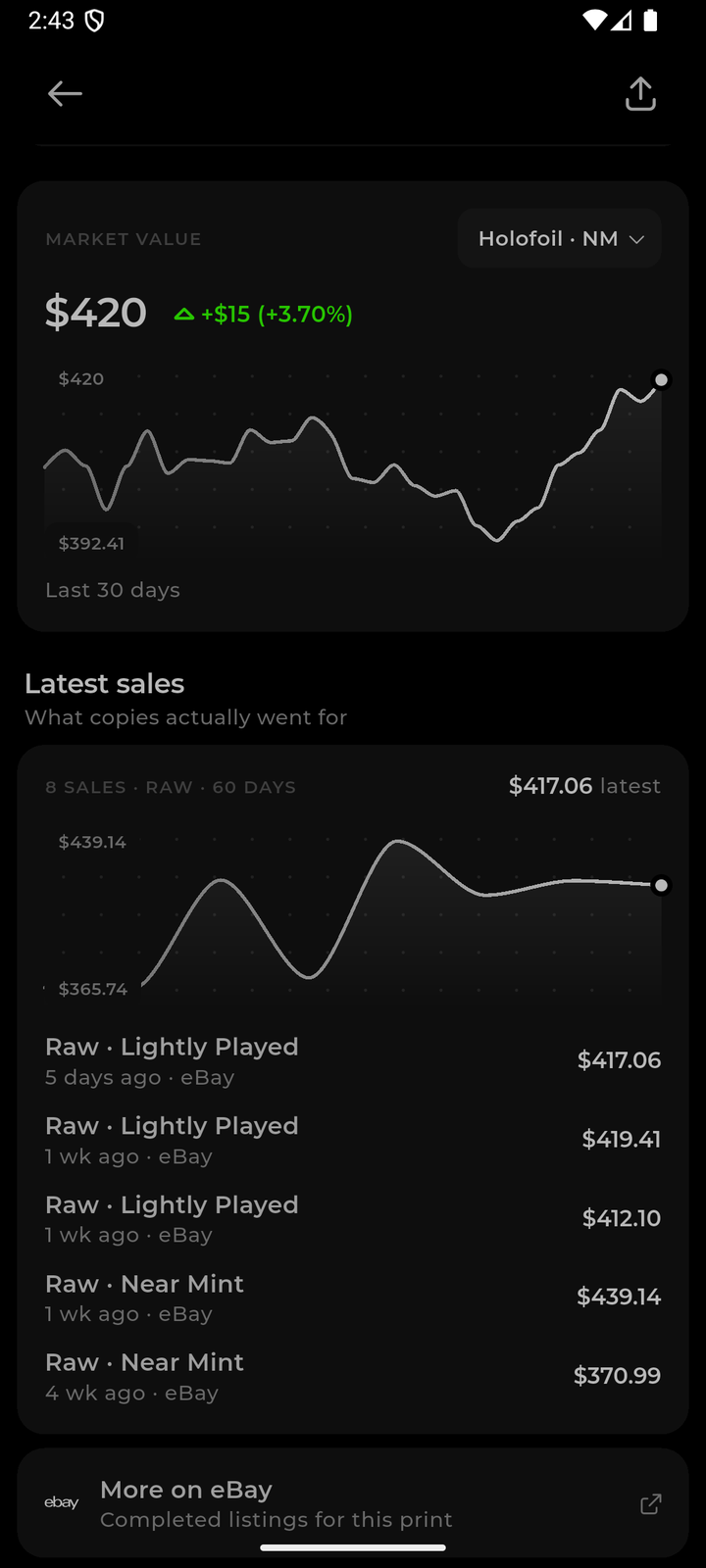
- Market value by finish and condition, with a 30-day chart
- Recent completed sales, with condition and date
- Graded values for the common slab grades
- Full print details: set, number, rarity, finish, language
Sales history
Before you trade, sell or insure, you can see what copies actually went for rather than what someone is asking.
- Completed sales over the last 60 days
- Separated by condition and by raw versus graded
- A link out to the full listing history if you want to dig further
Search the
catalogue
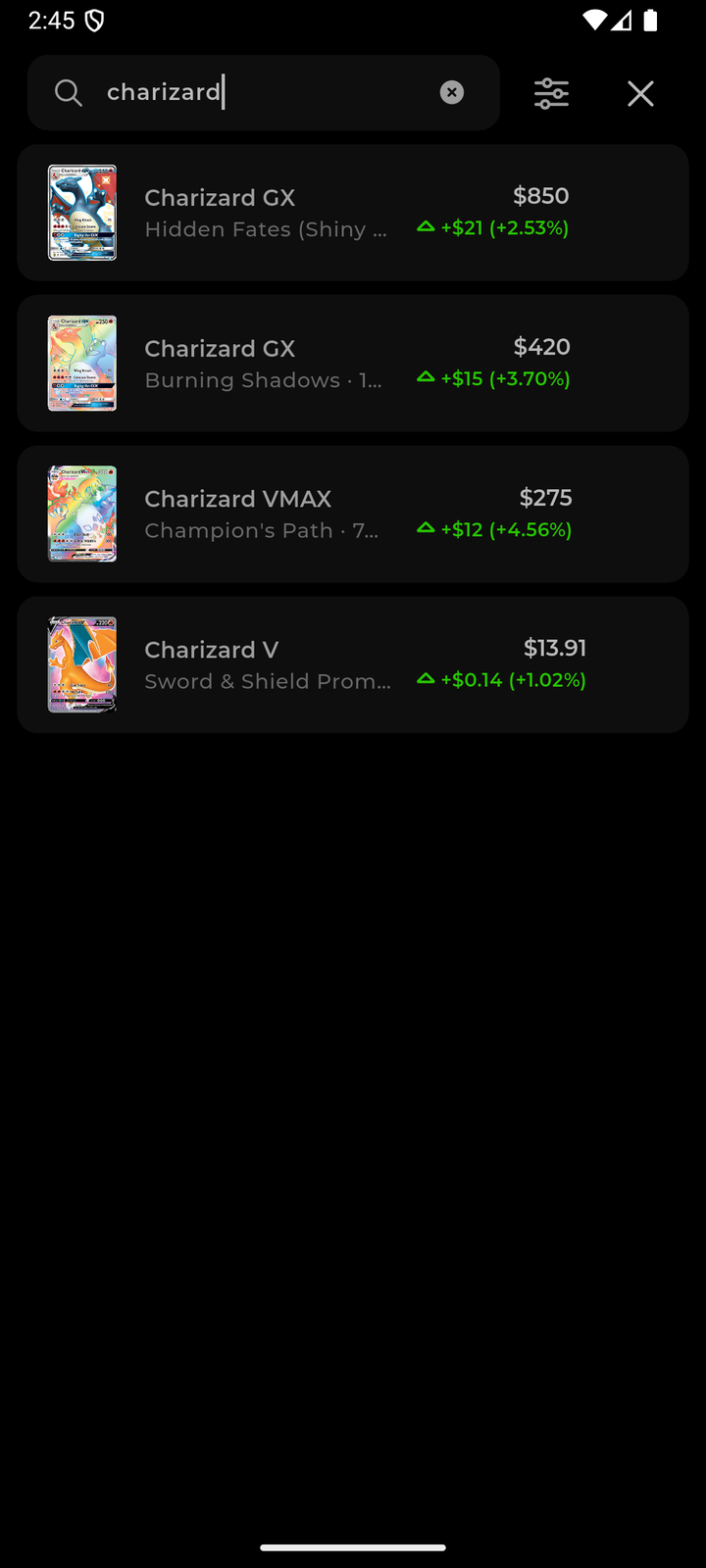
You do not need the card in your hand. Search any print by name to check a value, and add it to your collection if you already own it.
- Search across every supported game
- Filter by set, rarity, finish and condition
- Same value history as anything in your portfolio
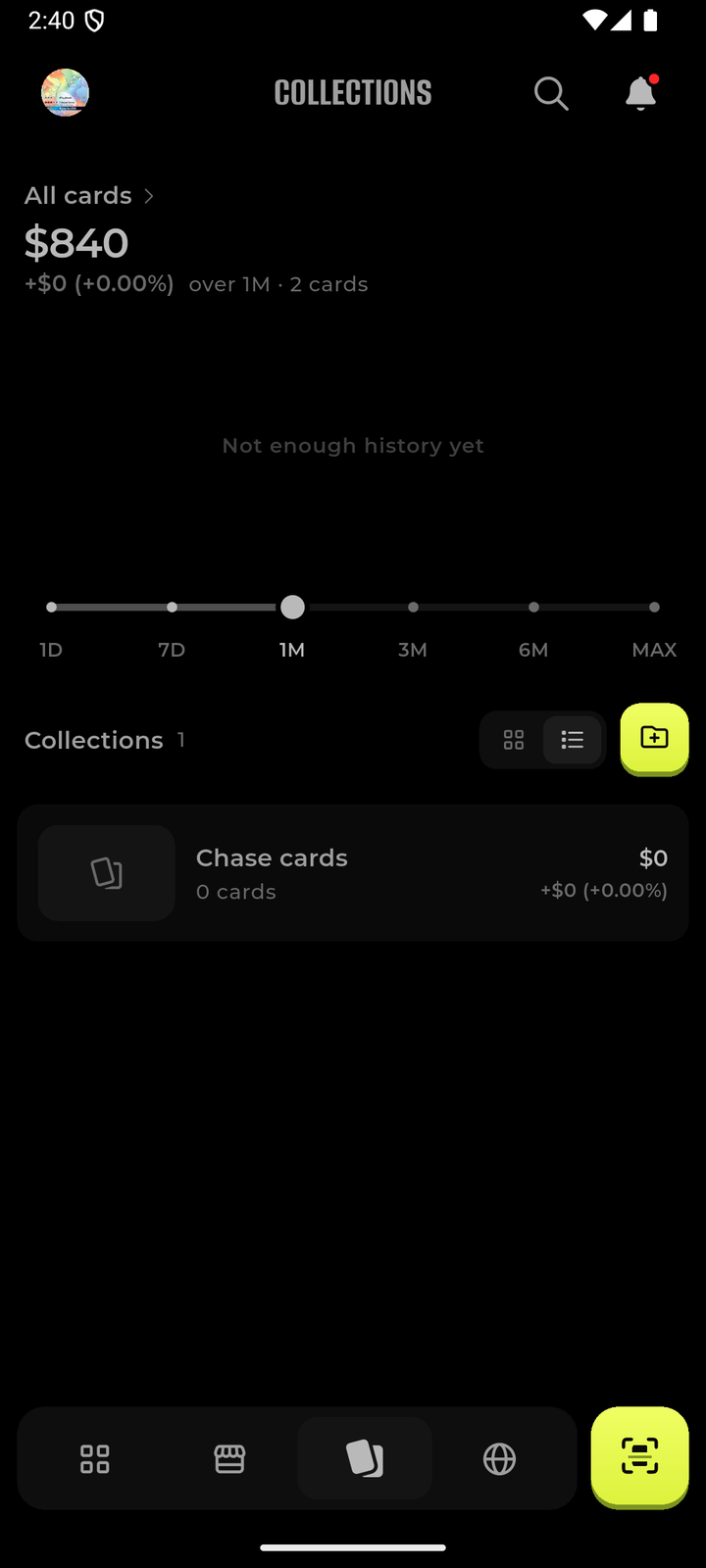
Collections
Organise the way you already think about your cards — by set, by binder, by the pile you are keeping and the pile you are trading away.
- As many collections as you want, each with its own running value
- A value chart per collection, from one day out to all time
- Watch one binder's curve without the rest of the collection in the way
- Grid or list, whichever you prefer
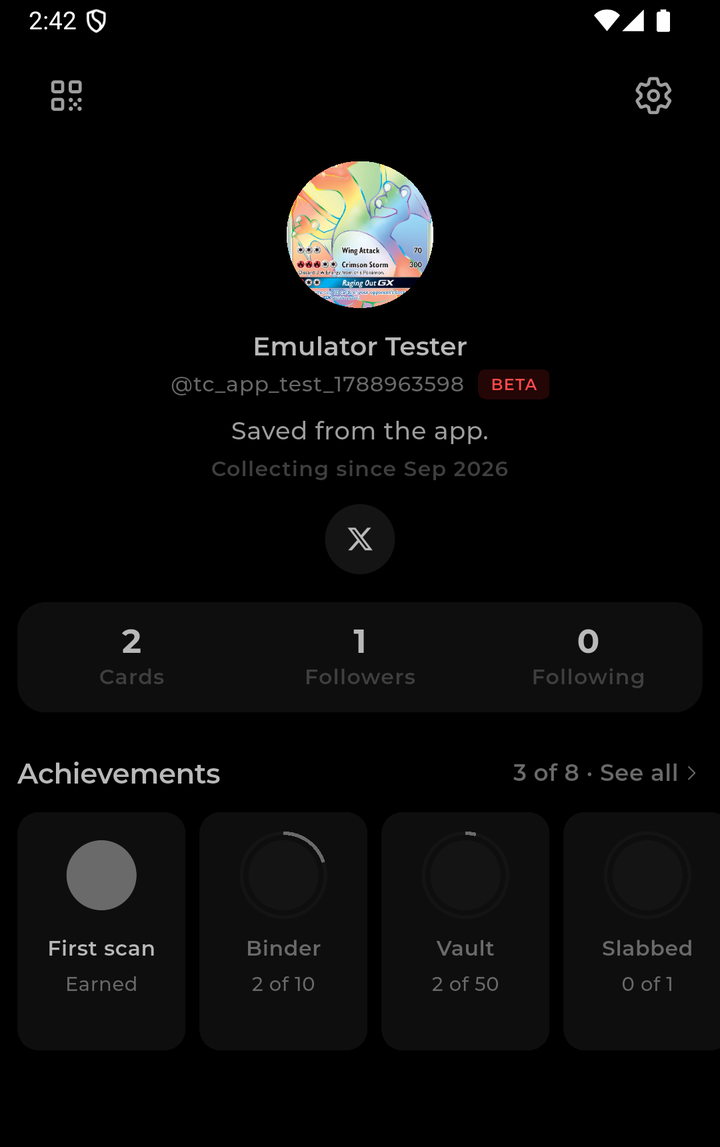
Your profile
A collector profile with milestones for the things you actually do — your first scan, your first ten cards, your first slab. Sharing is entirely optional: a single switch makes your profile private, and you can delete your account from inside the app at any time.
- Milestones earned from your own activity
- Private profile switch hides your details from other collectors
- Delete your account and data from Settings, no email required
Over time
A collection is
not a snapshot.
Most collectors know roughly what they have and only guess at what it is doing. TC keeps the running record for you, so the question "is my collection up or down this month?" has an actual answer.
Every day, on its own
1 day to all time
Card by card
Milestones as you go
On the phone, offline
Yours to keep private
What it costs
Nothing.
TC is free to download and free to use. There is no paid tier, nothing is locked behind a subscription, and the app contains no in-app purchases and no advertising.
Permissions and data
What we ask
for, and why.
Every permission the app requests is listed here with the reason it is needed and what happens if you say no. The full detail is in the privacy policy.
| Permission | Why the app asks | If you decline |
|---|---|---|
| Camera | To read the card in front of the lens so it can be identified. Frames are processed on your device. | Scanning from the camera is unavailable. You can still add cards from photos or by searching. |
| Photos | Only for the images you pick: a card photo to identify, or a picture for your profile. | You can still scan with the camera and use the app normally. |
| Tracking (iOS) | To measure which campaigns bring collectors to the app. Asked once, through Apple's own prompt. | Nothing changes in the app. Attribution is simply not measured. |
| Notifications | Optional: replies, follows and messages from other collectors. | The app works exactly the same, quietly. |
What is stored on our servers
What stays on your device
What we never do
Deleting everything
App store information
The details
reviewers ask
for.
Everything the App Store and Google Play require published at a stable address, in one place.
- ✓Privacy policy — a permanent, publicly reachable privacy policy covering what is collected, why, how long it is kept and how to have it erased.
- ✓Terms of use (EULA) — published terms of use including the minimum terms Apple requires of a licensed application.
- ✓Account deletion — available inside the app under Settings → Delete account, and through the published account deletion page, as both stores require of an app that lets you create an account.
- ✓Support contact — a monitored address, published below and reachable without an account.
- ✓Age rating — intended for collectors aged 13 and over. The app is not directed at children and does not knowingly collect data from anyone under 13.
- ✓No in-app purchases and no advertising — the app ships without any purchase or advertising code, so there is nothing to buy or to be sold inside it.
- ✓Permission purpose strings — the camera, photo and tracking prompts explain, in plain language, exactly what each is used for. They are reproduced in the table above.
- ✓Data safety declarations — the collection, use and sharing described in the privacy policy matches the App Store privacy labels and the Google Play Data safety form, field for field.
Card values are estimates
Trademarks
Support